Download PC Remote free on android
APK file PC Remote 9.1.4How to install APK / APKS / OBB file on Android

Elevate your PC experience with Monect PC Remote, a versatile and free app designed to give you full control of your computer — whether you're nearby or miles away.
Key Features:
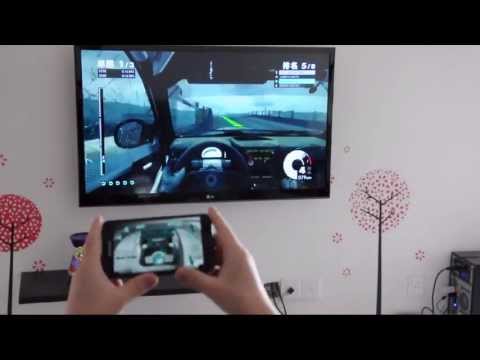
* Enhanced Gaming: Immerse yourself in PC gaming with custom button layouts and onboard sensors. Tailor them to your preferences for an unbeatable gaming experience.
* Real-time Screen and Camera Sharing: Share your PC screen and camera feed seamlessly with your smartphone. Experience your PC as if it's right in your hand.
* Virtual Camera: Use your phone’s high-quality camera as a virtual webcam on your PC. Perfect for video calls, streaming, and online meetings with crystal-clear visuals.
* Mouse and Keyboard Control: Use your phone as a wireless mouse and keyboard for your PC. Navigate, type, and control your computer effortlessly from anywhere.
* Multi-Display Capabilities: Expand your workspace by adding up to 4 virtual displays to your PC, boosting productivity and multitasking.
* Digital Artistry: Turn your device into a graphics drawing tablet with support for pressure-sensitive stylus pens. Unleash your creativity in software like Adobe Photoshop.
* Effortless File Transfer: Seamlessly transfer files between your devices for ultimate convenience.
* Top-Notch Security: Rest easy with our 256 Bit AES Session Encoding for secure remote network connections.
How to Use:
1. Installation: Download Monect PC Remote from Google Play and the PC Remote Receiver from [https://www.monect.com/](https://www.monect.com/) on your computer.
2. Connect Your Device: Choose from multiple connection options:
* Local Wi-Fi (on the same network)
* Remote Wi-Fi (across different networks)
* USB tethering from your device
* Share your device's Wi-Fi hotspot
* Bluetooth
Note: Adobe Photoshop is a registered trademark of Adobe in the United States and other countries.
Experience the freedom and control that Monect PC Remote offers, making your PC a truly versatile and powerful tool for work, play, and creativity — now with Virtual Camera and wireless Mouse & Keyboard control for even more possibilities.
Also new:
• 16 keyboard layouts, incl. QWERTZ, AZERTY & Nordic
• Layout Store — discover and download even more layouts
• Redesigned More page with host OS badges
• Faster, more reliable reconnection
• WebRTC-powered Task Manager
• Open source licenses viewer
• Various fixes and performance improvements
- LicenseFree
- File namePC Remote
- File Version9.1.4
- Package namecom.monect.portable
- Size19.58 MB
- UploadedNovember 19, 2026
- Android12.1 or later

- CategoryTools
- DeveloperMonect (Suzhou) Co., Ltd.
- Developer sitehttps://www.monect.com
- Developer emailsupport@monect.com
- md5 hash02555648d91b3f5d8f7265e1b7196581
- Architecture-
- Permissionsshow (28)
